
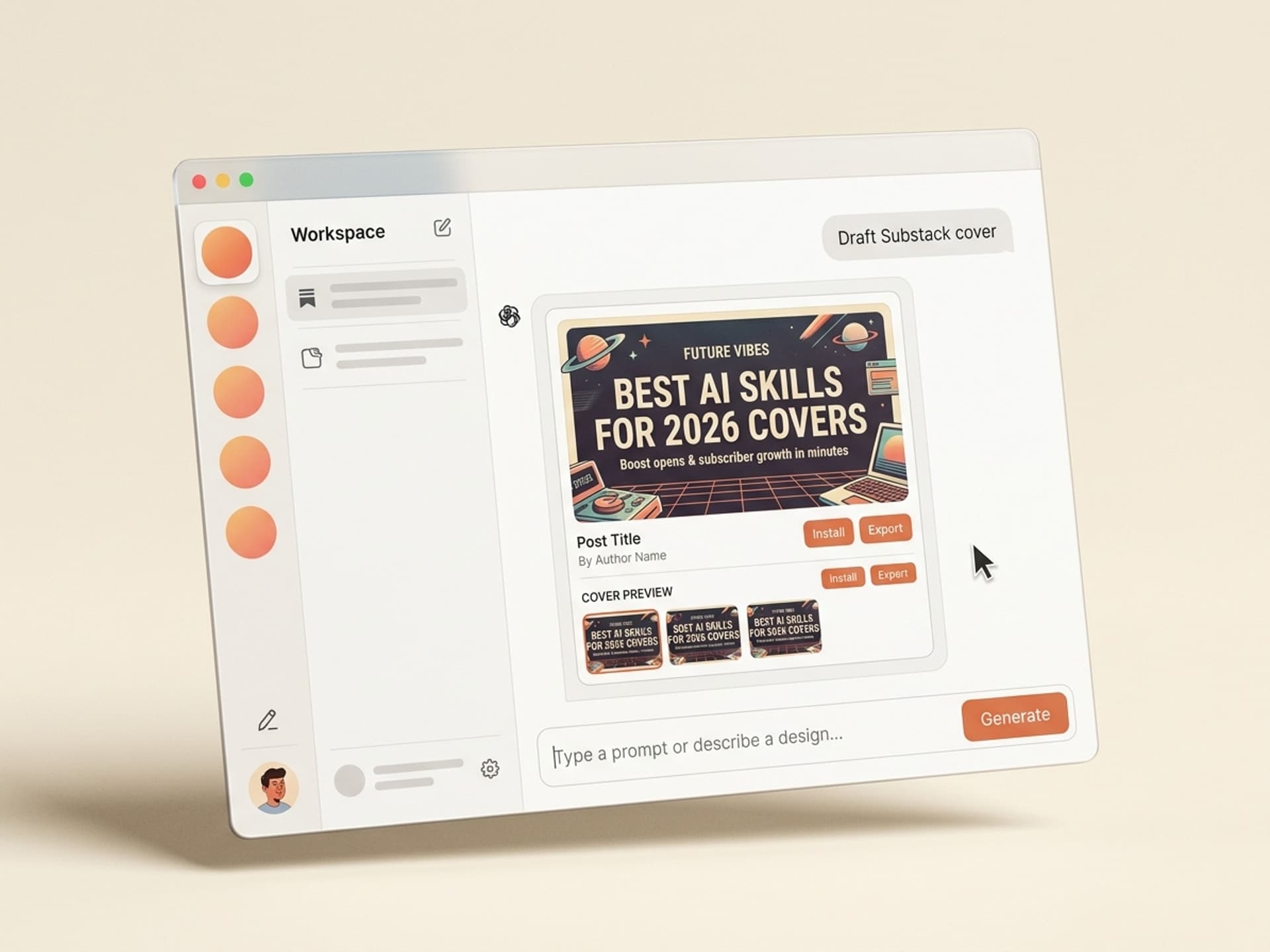

Claude, Cursor, र थपका लागि सयौं तयार-निर्मित सीपहरू ब्राउज गर्नुहोस्।
Substack कभरका लागि AI सिपहरू: 5 मिनेटको हिरो इमेज जसले तपाईंको ओपन दर दोब्बर पार्छ
Substack न्यूजलेटर कभरका लागि उत्कृष्ट AI सिपहरूले 45 मिनेटको Figma सत्रलाई 5 मिनेटको हिरो इमेजमा परिणत गर्दछ जसले उच्च दरमा खोल्छ, Substack गृह फिडमा राम्रो श्रेणीमा पर्छ, र अतिरिक्त काम बिना Twitter र LinkedIn मा साझा गरिन्छ। कभर इमेज अधिकांश न्यूजलेटरहरूमा सबैभन्दा कम लगानी गरिएको सम्पत्ति हो - लेखकहरूले पोस्टमा तीन घण्टा र हिरोमा 90 सेकेन्ड खर्च गर्छन्।
यो गाइडले 2026 मा Vibe Skills मा आउने पाँच AI कभर सिपहरू, Substack ले अपेक्षा गर्ने सटीक 1456x816 स्पेसि, र 5 मिनेट भित्रै हिरो जहाज पठाउने प्रति-पोस्ट कार्यप्रवाहलाई समेट्छ।
यदि तपाईं हप्तामा दुई पटक प्रकाशित गर्नुहुन्छ भने, यसले तपाईंलाई प्रति महिना लगभग 6 घण्टा बचाउँछ जुन पहिले स्टक-फोटो खोजी र फन्ट कर्निङमा मरेको थियो।
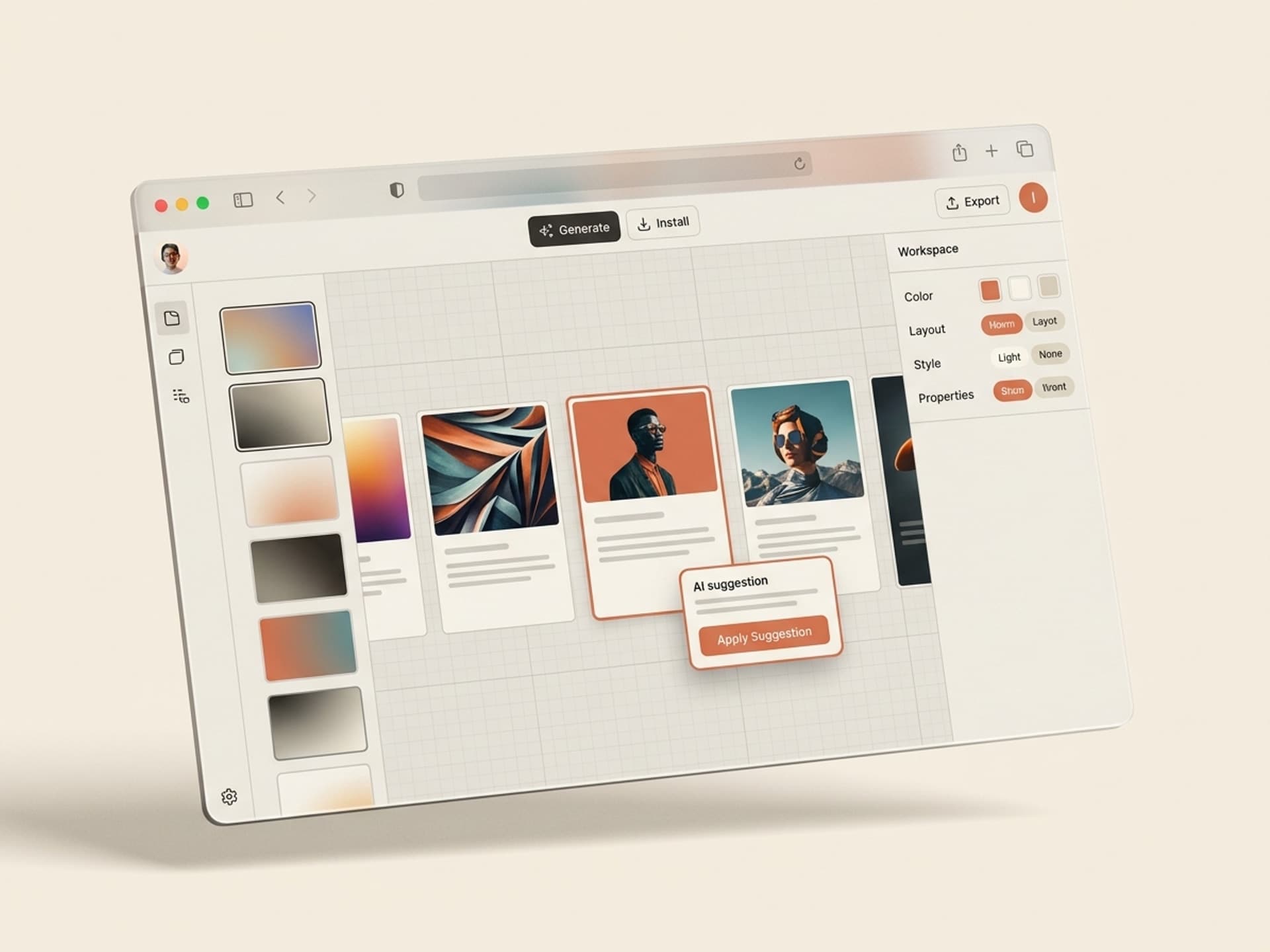
Claude, Cursor, र थपका लागि सयौं तयार-निर्मित सीपहरू ब्राउज गर्नुहोस्।
किन Substack हिरो इमेजले तपाईंको ओपन दर निर्धारण गर्छ
तपाईंको हिरो इमेजले कसैले खोल्छ, स्क्रोल गर्छ, वा साझा गर्छ कि गर्दैन भनेर निर्धारण गर्दछ। Substack ले हिरोलाई तीन ठाउँहरूमा देखाउँछ जुन बढ्छ: इमेल पूर्वावलोकन कार्ड, Substack एप फिड, र जब पाठकहरूले तपाईंको लिङ्क पोस्ट गर्दा सामाजिक कार्ड। त्यो एकल इमेजले इमेल विषय रेखा, पत्रिकाको कभर, र ओपन ग्राफ कार्डको काम एकैसाथ गरिरहेको छ।
2026 न्यूजलेटर बेन्चमार्क डाटाबाट ठोस संख्याहरू:
- Substack-व्यापी औसत ओपन दर 35% र 50% को बीचमा रहन्छ, शीर्ष-चतुर्थांश न्यूजलेटरहरूले संलग्न सूचीहरूमा 60%+ धकेल्दै।
- कस्टम हिरो इमेज भएका पोस्टहरूले स्टक फोटो वा कुनै हिरो नभएका पोस्टहरूको तुलनामा लगभग २ गुणा सामाजिक सेयरहरू प्राप्त गर्दछ, शीर्ष सिर्जनाकर्ता न्यूजलेटरहरूको समुदाय अध्ययनमा आधारित।
- Substack एप फिडले छवि-भरिपूर्ण पोस्टहरूलाई खोज सतहका लागि प्राथमिकता दिन्छ, त्यसैले एक बलियो हिरो क्लिक लिभर मात्र नभई सिफारिस लिभर पनि हो।
- 10,000-सबस्क्राइबर सूचीमा ओपन दरमा 5-बिन्दुको लिफ्ट भनेको प्रति पठाउने 500 अतिरिक्त पाठकहरू हुन्, जुन प्रायोजन भुक्तान गर्ने र नगर्ने बीचको भिन्नता हो।
Lenny's Newsletter, Stratechery, The Hustle, र Big Technology सबैले प्रति पोस्ट कस्टम सचित्र हिरोहरू चलाउँछन्। The Hustle ले प्रसिद्ध रूपमा डिजाइनरहरूलाई भिजुअल ताल कायम राख्न चार-अङ्कको रिटेनर तिर्छ। धेरै स्वतन्त्र लेखकहरूले त्यसलाई औचित्य ठहराउन सक्दैनन्, त्यसैले तिनीहरू स्टक Unsplash फोटोमा डिफ़ॉल्ट हुन्छन् वा हिरोलाई पूर्ण रूपमा छोड्छन्। त्यो खाडल भनेको AI सिपले बन्द गर्ने खाडल हो।
कष्टकर भाग भनेको त्यहाँ पुग्ने श्रम लागत हो। धेरै लेखकहरूले Unsplash मार्फत क्लिक गरेर, Figma बाट निर्यात गरेर, र पाठ ओभरले ट्वीक गरेर प्रति कभर 30 देखि 60 मिनेट खर्च गर्छन्। त्यो बिल हो जुन AI सिपले खाली गर्छ।
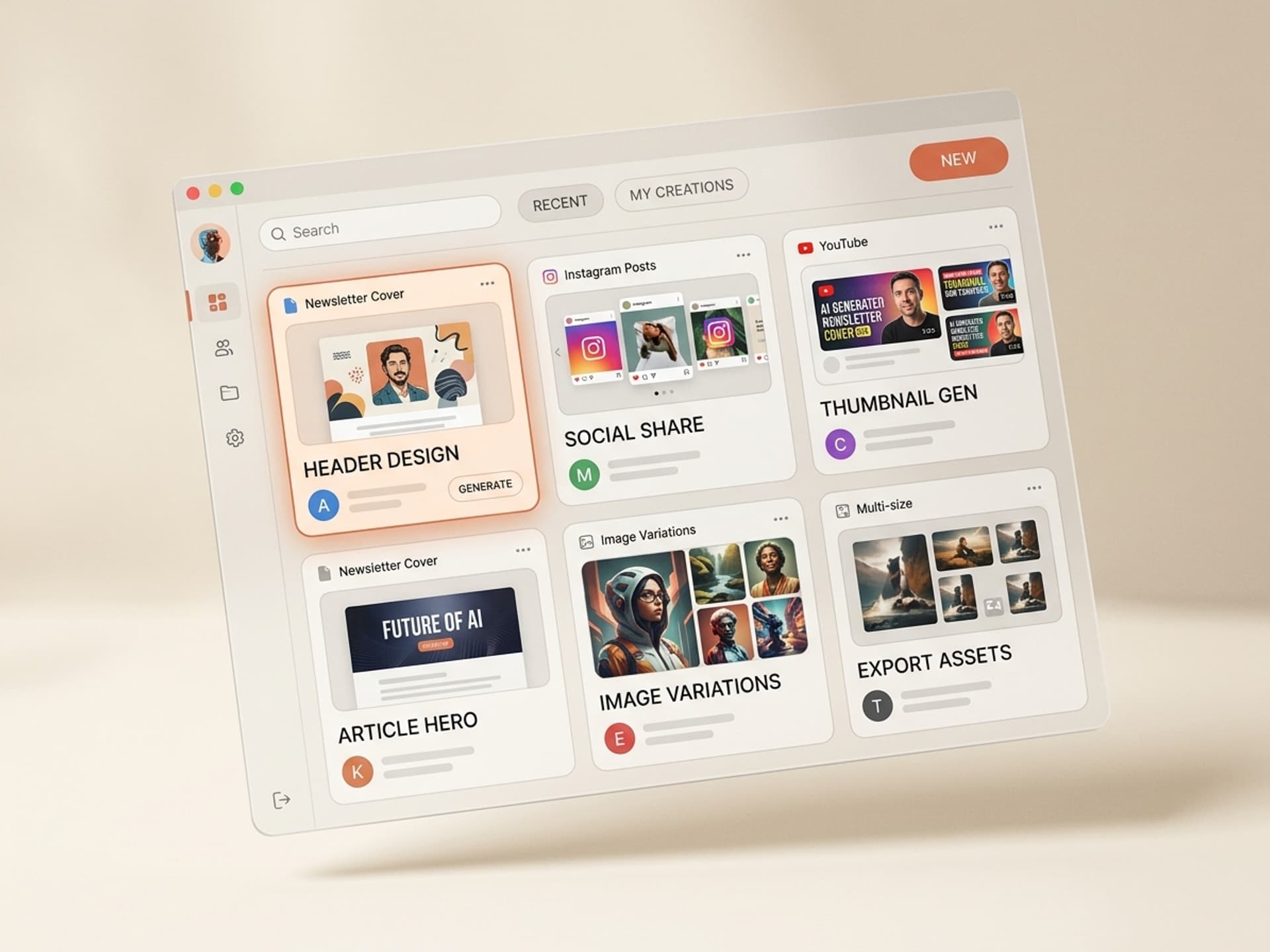
Claude, Cursor, र थपका लागि सयौं तयार-निर्मित सीपहरू ब्राउज गर्नुहोस्।
AI Substack कभर सिपले के गर्छ (स्टक फोटो वा Figma विरुद्ध)
एउटा AI कभर सिप एउटा प्याकेज गरिएको कार्यप्रवाह हो जसले तपाईंको पोस्ट विषय, तपाईंको न्यूजलेटर ब्रान्ड रङ, र वैकल्पिक हुक लाइन लिन्छ, र त्यसपछि 3 देखि 5 मिनेटमा समाप्त, ब्रान्ड-अन 1456x816 हिरो उत्पादन गर्दछ। यो खाली क्यानभास होइन। यो एक डिजाइनर-निर्मित नुस्खा हो जसले पहिले नै Substack पक्ष अनुपात थाहा पाइसकेको छ, हुक ओभरले कहाँ राख्ने, इमेल पूर्वावलोकनमा कुन रङ ब्लकहरू राम्रो देखिन्छन्, र हरेक अंकमा भिजुअल निरन्तरता कसरी राख्ने।
यहाँ AI सिपहरू आज धेरै Substack लेखकहरूले प्रयोग गर्ने कुराहरूसँग कसरी तुलना गर्छन्:
| दृष्टिकोण | प्रति कभर समय | लागत | ब्रान्ड स्थिरता | प्रति-पोस्ट हुक |
|---|---|---|---|---|
| Vibe Skills मा AI सिप | 3 - 5 मिनेट | $29/मो सदस्यता, असीमित कभर | तपाईंको प्यालेट + टाइपमा लक गरिएको | हो, प्रति विषय उत्पन्न |
| Figma, म्यानुअल | 30 - 60 मिनेट | नि:शुल्क देखि $15/सीट | यदि तपाईंले प्रणाली बनाउनुभयो भने उच्च | हरेक पटक म्यानुअल |
| Canva टेम्प्लेटहरू | 15 - 30 मिनेट | नि:शुल्क देखि $15/मो | हरेक अन्य न्यूजलेटर जस्तो देखिन्छ | हरेक पटक म्यानुअल |
| स्टक फोटो (Unsplash) | 5 - 15 मिनेट | नि:शुल्क | कुनै छैन - प्रति पोस्ट अनियमित भाइब | कुनै छैन |
| चित्रकार नियुक्त गर्नुहोस् | 24 - 72 घण्टा टर्नअराउन्ड | $80 - $400 प्रति कभर | उत्कृष्ट | हो, प्रत्येक पटक जानकारी दिइएको |
AI सिप + सदस्यता मोडेल पूर्ण रूपमा बेस्पोक सचित्र ब्रान्ड बाहेक हरेक आयाममा जित्छ। यदि तपाईंको न्यूजलेटर छ-अङ्कको अपरेशन हो जसलाई Tom Froese-स्तरीय चित्रकला चाहिन्छ, तपाईं अझै पनि नियुक्त गर्नुहुन्छ। अरू सबैका लागि, AI सिपहरूले तपाईंलाई प्रतीक्षा वा इनभ्वाइस बिना डिजाइनर-ग्रेड हिरो दिन्छ।
यो ठीक त्यस्तै हो जुन Vibe Skills को लागि निर्माण गरिएको हो। तपाईंले एउटा सिप स्थापना गर्नुहुन्छ, तपाईंको पोस्ट विषय र ब्रान्ड रङहरू प्लग इन गर्नुहुन्छ, र 5 मिनेटमा तीन अन-ब्रान्ड हिरो भेरियन्टहरू लिएर हिँड्नुहुन्छ।
Substack कभर एनाटॉमी: स्पेसि। जुन वास्तवमा काम गर्छ
धेरै लेखकहरूले एउटा हिरो जहाज पठाउँछन् जुन इमेल पूर्वावलोकनमा तोडिन्छ किनभने तिनीहरू स्पेसि।लाई बेवास्ता गर्छन्। यहाँ एनाटॉमी छ जुन Vibe Skills मा हरेक कभर सिप पूर्वनिर्धारित रूपमा लक्षित गर्दछ।
| तत्व | स्पेसि। | किन यो महत्त्वपूर्ण छ |
|---|---|---|
| क्यानभास आकार | 1456 x 816 px (16:9, ~1.78 अनुपात) | Substack को सिफारिस गरिएको आकार। अरू केही पनि इमेल र एप फिडमा अक्षर बक्स हुन्छ। |
| सुरक्षित क्षेत्र | केन्द्र 1200 x 700 px | Substack ले मोबाइल पूर्वावलोकन कार्डहरूमा किनारहरू आक्रामक रूपमा क्रप गर्दछ। हुक र ब्रान्ड चिन्ह भित्र राख्नुहोस्। |
| हुक ओभरले | 4 - 8 शब्द, बोल्ड सान्स, 96 - 120 pt | इनबक्समा थम्बनेल आकारमा पढ्छ। कुनै पनि लामो कुरा गूलो बन्छ। |
| ब्रान्ड चिन्ह | लोगो वा वर्डमार्क, शीर्ष-बायाँ वा तल्लो-दायाँ, 8% क्यानभास उचाई | हरेक अंकमा भिजुअल पहिचान निर्माण गर्दछ। इमेललाई एक-अफ जस्तो नभई प्रकाशन जस्तो महसुस गराउँछ। |
| रङ ब्लक | तपाईंको प्यालेटबाट 1 प्रमुख + 1 उच्चारण | निश्चित प्यालेट भएका न्यूजलेटरहरूले प्रति पोस्ट अनियमित भाइब भएका न्यूजलेटरहरूको 2x ब्रान्ड सम्झना प्राप्त गर्दछ। |
| भिजुअल तत्व | चित्रण, अमूर्त आकार, वा उपचार गरिएको फोटो | Substack एप फिडमा स्क्रोल रोक्छ। शुद्ध-पाठ कभरहरू छोडिन्छन्। |
| फाइल ढाँचा | JPG वा PNG, 1 MB भन्दा कम | Substack पहिले नै भारी कम्प्रेस गर्दछ। ढिलो जडानहरूमा साना फाइलहरू छिटो पठाउँछन्। |
| Alt पाठ | एक वाक्य, पोस्ट विषय | Substack ले पहुँचयोग्यता र इमेल-क्लायन्ट छवि-ब्लकिङ फलब्याक दुवैको लागि Alt पाठ प्रयोग गर्दछ। सधैं भर्नुहोस्। |
तलका पाँचवटा सिपहरूले यो सटीक स्पेसि।मा कभर पठाउँछन्, सुरक्षित-क्षेत्र दिशानिर्देशहरू निर्मित हुन्छन्, त्यसैले तपाईंले प्रत्येक अंकमा गणित पुन: जाँच गर्नुपर्दैन।
Vibe Skills मा 5 AI Substack कभर सिपहरू
यी पाँच AI कभर सिपहरू हुन् जुन Substack लेखकहरूले सबैभन्दा बढी माग्छन्। ती सबै Vibe Skills मा थम्बनेल र कभर आर्ट श्रेणी अन्तर्गत पर्छन्।
1. Substack सम्पादकीय कभर जेनरेटर
सबैभन्दा राम्रो लागि: लामो-फार्म विश्लेषण न्यूजलेटरहरू, ओप-एडहरू, गहन अंकहरू। Stratechery, Lenny's Newsletter, Platformer सोच्नुहोस्।
सिपले तपाईंको पोस्ट विषय, शीर्षक, र 2 - 3 ब्रान्ड रङहरू लिन्छ, त्यसपछि बलियो टाइप लकअप, एउटा अमूर्त आकार पृष्ठभूमि, र तपाईंको वर्डमार्क लङ्गङ्गङ्गङ्गङ्गङ्गङ्गङ्गङ्गङ्गङ्गङ्गङ्गङ्गङ्गङ्गङ्गङ्गङ्गङ्गङ्गङ्गङ्गङ्गङ्गङ्गङ्गङ्गङ्गङ्गङ्गङ्गङ्गङ्गङ्गङ्गङ्गङ्गङ्गङ्गङ्गङ्गङ्गङ्गङ्गङ्गङ्गङ्गङ्गङ्गङ्गङ्गङ्गङ्गङ्गङ्गङ्गङ्गङ्गङ्गङ्गङ्गङ्गङ्गङ्गङ्गङ्गङ्गङ्गङ्गङ्गङ्गङ्गङ्गङ्गङ्गङ्गङ्गङ्गङ्गङ्गङ्गङ्गङ्गङ्गङ्गङ्गङ्गङ्गङ्गङ्गङ्गङ्गङ्गङ्गङ्गङ्गङ्गङ्गङ्गङ्गङ्गङ्गङ्गङ्गङ्गङ्गङ्गङ्गङ्गङ्गङ्गङ्गङ्गङ्गङ्गङ्गङ्गङ्गङ्गङ्गङ्गङ्गङ्गङ्गङ्गङ्गङ्गङ्गङ्गङ्गङ्गङ्गङ्गङ्गङ्गङ्गङ्गङ्गङ्गङ्गङ्गङ्गङ्गङ्गङ्गङ्गङ्गङ्गङ्गङ्गङ्गङ्गङ्गङ्गङ्गङ्गङ्गङ्गङ्गङ्गङ्गङ्गङ्गङ्गङ्गङ्गङ्गङ्गङ्गङ्गङ्गङ्गङ्गङ्गङ्गङ्गङ्गङ्गङ्गङ्गङ्गङ्गङ्गङ्गङ्गङ्गङ्गङ्गङ्गङ्गङ्गङ्गङ्गङ्गङ्गङ्गङ्गङ्गङ्गङ्गङ्गङ्गङ्गङ्गङ्गङ्गङ्गङ्गङ्गङ्गङ्गङ्गङ्गङ्गङ्गङ्गङ्गङ्गङ्गङ्गङ्गङ्गङ्गङ्गङ्गङ्गङ्गङ्गङ्गङ्गङ्गङ्गङ्गङ्गङ्गङ्गङ्गङ्गङ्गङ्गङ्गङ्गङ्गङ्गङ्गङ्गङ्गङ्गङ्गङ्गङ्गङ्गङ्गङ्गङ्गङ्गङ्गङ्गङ्गङ्गङ्गङ्गङ्गङ्गङ्गङ्गङ्गङ्गङ्गङ्गङ्गङ्गङ्गङ्गङ्गङ्गङ्गङ्गङ्गङ्गङ्गङ्गङ्गङ्गङ्गङ्गङ्गङ्गङ्गङ्गङ्गङ्गङ्गङ्गङ्गङ्गङ्गङ्गङ्गङ्गङ्गङ्गङ्गङ्गङ्गङ्गङ्गङ्गङ्गङ्गङ्गङ्गङ्गङ्गङ्गङ्गङ्गङ्गङ्गङ्गङ्गङ्गङ्गङ्गङ्गङ्गङ्गङ्गङ्गङ्गङ्गङ्गङ्गङ्गङ्गङ्गङ्गङ्गङ्गङ्गङ्गङ्गङ्गङ्गङ्गङ्गङ्गङ्गङ्गङ्गङ्गङ्गङ्गङ्गङ्गङ्गङ्गङ्गङ्गङ्गङ्गङ्गङ्गङ्गङ्गङ्गङ्गङ्गङ्गङ्गङ्गङ्गङ्गङ्गङ्गङ्गङ्गङ्गङ्गङ्गङ्गङ्गङ्गङ्गङ्गङ्गङ्गङ्गङ्गङ्गङ्गङ्गङ्गङ्गङ्गङ्गङ्गङ्गङ्गङ्गङ्गङ्गङ्गङ्गङ्गङ्गङ्गङ्गङ्गङ्गङ्गङ्गङ्गङ्गङ्गङ्गङ्गङ्गङ्गङ्गङ्गङ्गङ्गङ्गङ्गङ्गङ्गङ्गङ्गङ्गङ्गङ्गङ्गङ्गङ्गङ्गङ्गङ्गङ्गङ्गङ्गङ्गङ्गङ्गङ्गङ्गङ्गङ्गङ्गङ्गङ्गङ्गङ्गङ्गङ्गङ्गङ्गङ्गङ्गङ्गङ्गङ्गङ्गङ्गङ्गङ्गङ्गङ्गङ्गङ्गङ्गङ्गङ्गङ्गङ्गङ्गङ्गङ्गङ्गङ्गङ्गङ्गङ्गङ्गङ्गङ्गङ्गङ्गङ्गङ्गङ्गङ्गङ्गङ्गङ्गङ्गङ्गङ्गङ्गङ्गङ्गङ्गङ्गङ्गङ्गङ्गङ्गङ्गङ्गङ्गङ्गङ्गङ्गङ्गङ्गङ्गङ्गङ्गङ्गङ्गङ्गङ्गङ्गङ्गङ्गङ्गङ्गङ्गङ्गङ्गङ्गङ्गङ्गङ्गङ्गङ्गङ्गङ्गङ्गङ्गङ्गङ्गङ्गङ्गङ्गङ्गङ्गङ्गङ्गङ्गङ्गङ्गङ्गङ्गङ्गङ्गङ्गङ्गङ्गङ्गङ्गङ्गङ्गङ्गङ्गङ्गङ्गङ्गङ्गङ्गङ्गङ्गङ्गङ्गङ्गङ्गङ्गङ्गङ्गङ्गङ्गङ्गङ्गङ्गङ्गङ्गङ्गङ्गङ्गङ्गङ्गङ्गङ्गङ्गङ्गङ्गङ्गङ्गङ्गङ्गङ्गङ्गङ्गङ्गङ्गङ्गङ्गङ्गङ्गङ्गङ्गङ्गङ्गङ्गङ्गङ्गङ्गङ्गङ्गङ्गङ्गङ्गङ्गङ्गङ्गङ्गङ्गङ्गङ्गङ्गङ्गङ्गङ्गङ्गङ्गङ्गङ्गङ्गङ्गङ्गङ्गङ्गङ्गङ्गङ्गङ्गङ्गङ्गङ्गङ्गङ्गङ्गङ्गङ्गङ्गङ्गङ्गङ्गङ्गङ्गङ्गङ्गङ्गङ्गङ्गङ्गङ्गङ्गङ्गङ्गङ्गङ्गङ्गङ्गङ्गङ्गङ्गङ्गङ्गङ्गङ्गङ्गङ्गङ्गङ्गङ्गङ्गङ्गङ्गङ्गङ्गङ्गङ्गङ्गङ्गङ्गङ्गङ्गङ्गङ्गङ्गङ्गङ्गङ्गङ्गङ्गङ्गङ्गङ्गङ्गङ्गङ्गङ्गङ्गङ्गङ्गङ्गङ्गङ्गङ्गङ्गङ्गङ्गङ्गङ्गङ्गङ्गङ्गङ्गङ्गङ्गङ्गङ्गङ्गङ्गङ्गङ्गङ्गङ्गङ्गङ्गङ्गङ्गङ्गङ्गङ्गङ्गङ्गङ्गङ्गङ्गङ्गङ्गङ्गङ्गङ्गङ्गङ्गङ्गङ्गङ्गङ्गङ्गङ्गङ्गङ्गङ्गङ्गङ्गङ्गङ्गङ्गङ्गङ्गङ्गङ्गङ्गङ्गङ्गङ्गङ्गङ्गङ्गङ्गङ्गङ्गङ्गङ्गङ्गङ्गङ्गङ्गङ्गङ्गङ्गङ्गङ्गङ्गङ्गङ्गङ्गङ्गङ्गङ्गङ्गङ्गङ्गङ्गङ्गङ्गङ्गङ्गङ्गङ्गङ्गङ्गङ्गङ्गङ्गङ्गङ्गङ्गङ्गङ्गङ्गङ्गङ्गङ्गङ्गङ्गङ्गङ्गङ्गङ्गङ्गङ्गङ्गङ्गङ्गङ्गङ्गङ्गङ्गङ्गङ्गङ्गङ्गङ्गङ्गङ्गङ्गङ्गङ्गङ्गङ्गङ्गङ्गङ्गङ्गङ्गङ्गङ्गङ्गङ्गङ्गङ्गङ्गङ्गङ्गङ्गङ्गङ्गङ्गङ्गङ्गङ्गङ्गङ्गङ्गङ्गङ्गङ्गङ्गङ्गङ्गङ्गङ्गङ्गङ्गङ्गङ्गङ्गङ्गङ्गङ्गङ्गङ्गङ्गङ्गङ्गङ्गङ्गङ्गङ्गङ्गङ्गङ्गङ्गङ्गङ्गङ्गङ्गङ्गङ्गङ्गङ्गङ्गङ्गङ्गङ्गङ्गङ्गङ्गङ्गङ्गङ्गङ्गङ्गङ्गङ्गङ्गङ्गङ्गङ्गङ्गङ्गङ्गङ्गङ्गङ्गङ्गङ्गङ्गङ्गङ्गङ्गङ्गङ्गङ्गङ्गङ्गङ्गङ्गङ्गङ्गङ्गङ्गङ्गङ्गङ्गङ्गङ्गङ्गङ्गङ्गङ्गङ्गङ्गङ्गङ्गङ्गङ्गङ्गङ्गङ्गङ्गङ्गङ्गङ्गङ्गङ्गङ्गङ्गङ्गङ्गङ्गङ्गङ्गङ्गङ्गङ्गङ्गङ्गङ्गङ्गङ्गङ्गङ्गङ्गङ्गङ्गङ्गङ्गङ्गङ्गङ्गङ्गङ्गङ्गङ्गङ्गङ्गङ्गङ्गङ्गङ्गङ्गङ्गङ्ग
- The Substack-wide average open rate sits between 35% and 50%, with top-quartile newsletters pushing 60%+ on engaged lists
- Posts with a custom hero image get roughly 2x the social shares of posts that use a stock photo or no hero at all, based on community studies of top creator newsletters
- The Substack app feed prioritises image-heavy posts for the discovery surface, so a strong hero is also a recommendation lever, not just a click lever
- A 5-point lift in open rate on a 10,000-subscriber list is 500 extra readers per send, which is the difference between a sponsorship that pays and one that doesn't
Lenny's Newsletter, Stratechery, The Hustle, and Big Technology all run custom illustrated heroes per post. The Hustle famously pays designers four-figure retainers to keep the visual cadence intact. Most independent writers can't justify that, so they default to a stock Unsplash photo or skip the hero entirely. That gap is the gap an AI skill closes.
The painful part is the labour cost on the way there. Most writers spend 30 to 60 minutes per cover clicking through Unsplash, exporting from Figma, and tweaking text overlay. That is the bill an AI skill clears.
What an AI Substack Cover Skill Does (vs Stock Photos or Figma)
An AI cover skill is a packaged workflow that takes your post topic, your newsletter brand colours, and an optional hook line, then produces a finished, on-brand 1456x816 hero in 3 to 5 minutes. It is not a blank canvas. It is a designer-built recipe that already knows the Substack aspect ratio, where to place the hook overlay, what colour blocks read well in the email preview, and how to keep visual continuity across every issue.
Here is how AI skills compare to what most Substack writers use today:
| Approach | Time per cover | Cost | Brand consistency | Per-post hook |
|---|---|---|---|---|
| AI skill on Vibe Skills | 3 - 5 min | $29/mo subscription, unlimited covers | Locked to your palette + type | Yes, generated per topic |
| Figma, manual | 30 - 60 min | Free to $15/seat | High if you build a system | Manual every time |
| Canva templates | 15 - 30 min | Free to $15/mo | Looks like every other newsletter | Manual every time |
| Stock photo (Unsplash) | 5 - 15 min | Free | None - random vibe per post | None |
| Hire an illustrator | 24 - 72 hour turnaround | $80 - $400 per cover | Excellent | Yes, briefed each time |
The AI skill + subscription model wins on every dimension except a fully bespoke illustrated brand. If your newsletter is a six-figure operation that needs Tom Froese-tier illustration, you still hire. For everyone else, AI skills give you the designer-grade hero without the wait or the invoice.
This is exactly what Vibe Skills is built for. You install a skill, plug in your post topic and brand colours, and walk away with three on-brand hero variants in 5 minutes flat.
Substack Cover Anatomy: The Spec That Actually Works
Most writers ship a hero that breaks at the email preview because they ignore the spec. Here is the anatomy every cover skill on Vibe Skills targets by default.
| Element | Spec | Why it matters |
|---|---|---|
| Canvas size | 1456 x 816 px (16:9, ~1.78 ratio) | Substack's recommended size. Anything else gets letterboxed in the email and the app feed. |
| Safe zone | Center 1200 x 700 px | Substack crops the edges aggressively on mobile preview cards. Keep the hook and brand mark inside. |
| Hook overlay | 4 - 8 words, bold sans, 96 - 120 pt | Reads at thumbnail size in the inbox. Anything longer turns to mush. |
| Brand mark | Logo or wordmark, top-left or bottom-right, 8% canvas height | Builds visual recognition across every issue. Makes the email feel like a publication, not a one-off. |
| Color block | 1 dominant + 1 accent from your palette | Newsletters with a fixed palette get 2x the brand recall of newsletters with a random vibe per post. |
| Visual element | Illustration, abstract shape, or photo with treatment | Stops the scroll on the Substack app feed. Pure-text covers get skipped. |
| File format | JPG or PNG, under 1 MB | Substack compresses heavily anyway. Smaller files send faster on slow connections. |
| Alt text | One sentence, post topic | Substack uses alt text for accessibility AND email-client image-blocking fallback. Always fill it. |
The five skills below all ship the cover at this exact spec, with safe-zone guides built in, so you don't have to re-check the math every issue.
5 AI Substack Cover Skills on Vibe Skills
These are the five AI cover skills Substack writers ask for most. All of them live under the Thumbnails and Cover Art category on Vibe Skills.
1. Substack Editorial Cover Generator
Best for: Long-form analysis newsletters, op-eds, deep-dive issues. Think Stratechery, Lenny's Newsletter, Platformer.
The skill takes your post topic, headline, and 2 - 3 brand colours, then renders a magazine-style editorial hero with a strong type lockup, an abstract shape backdrop, and your wordmark anchored. Built around the 1456 x 816 spec with safe zone respected, so the cover survives Gmail's inbox preview without losing the headline.
Workflow: paste your post H1, drop your brand HEX values, pick "editorial" or "minimalist" mode, hit run. Three variants in 4 minutes.
2. Per-Post Photo + Overlay Cover Skill
Best for: Reported newsletters, interview series, news roundups. Think Big Technology, The Hustle, Morning Brew daily.
The skill pulls a topic-relevant stock or AI-generated photo, applies your brand colour treatment (duotone, gradient, or tinted overlay), and locks the hook line into the safe zone with your wordmark. Handles the stock-photo problem at the source: every cover looks like it belongs to your newsletter, not to Unsplash.
Workflow: paste your post topic, pick "duotone" or "tinted-photo" mode, plug in your brand HEX. Three variants in 3 minutes.
3. Hand-Drawn Illustration Cover Skill
Best for: Personal essay newsletters, creator brands, lifestyle and culture writing. Think Anne Helen Petersen's Culture Study, Maybe Baby, Letters from an American.
The skill generates a brand-consistent hand-illustrated hero (line art, gouache, or flat illustration style) tied to your post topic, with your wordmark anchored. The illustration system stays consistent across issues because the skill remembers your style, palette, and line weight. No more "every cover looks like a different newsletter."
Workflow: pick your illustration style once, paste post topic, hit run. Three variants in 5 minutes.
4. Series + Episode Cover Skill
Best for: Newsletters that run series, podcasts cross-published as Substack posts, course-style drips. Think Every's serialised essays, Lenny's Friday founder interviews, podcast networks like Acquired.
The skill ships a template that locks the brand frame (logo, series name, episode number) and only swaps the topic-specific visual + hook per episode. Builds visual continuity across the run while keeping each cover distinct enough to click.
Workflow: define series template once, then per episode just paste the topic and episode number. Single cover in 2 minutes after the template is set.
5. Twitter / LinkedIn Social Card Skill
Best for: Newsletters that get most of their growth from social shares. Think Lenny's Newsletter, Big Technology, Not Boring.
This is the companion skill to the hero. Substack uses your post hero as the OG image by default, but the optimal Twitter card crop and LinkedIn preview crop are different from the in-app hero. The skill takes your finished hero and ships a 1200 x 630 OG variant + a 1200 x 1200 square LinkedIn variant, both with the hook adjusted for the new aspect ratio.
Workflow: drop your finished Substack hero, hit run. Two social variants in 90 seconds.
Over 30 visual skills per category. All included in a Vibe Skills subscription.
Browse Substack cover skills on Vibe Skills →
Per-Post Hero in 5 Minutes: The Workflow
The whole point of an AI cover skill is to collapse the hero from a 45-minute side quest into a 5-minute step in your publishing flow. Here is the exact sequence.
Step 1: Pick the right cover skill on Vibe Skills. Open the Thumbnails and Cover Art category and choose the skill that matches your newsletter style: editorial, photo overlay, illustrated, series, or social. First time through, install it; after that it lives in your library.
Step 2: Paste your post topic and headline. The skill needs your post H1 (the actual headline) and a one-sentence summary. The summary feeds the visual concept; the H1 feeds the overlay. Keep the overlay version of the headline punchy: 4 - 8 words.
Step 3: Drop in your brand inputs. Your wordmark or logo file, two HEX colour values, and your preferred typeface name. The skill remembers these between runs, so you only do this once per newsletter.
Step 4: Generate three variants and pick. The skill ships three covers in roughly 3 minutes. Pick the strongest, or A/B test by sending two issues a week with two different variants and reading the open-rate delta.
Step 5: Run the social card skill on the winner. Drop the winning hero into the Twitter / LinkedIn skill and get the 1200 x 630 OG image + 1200 x 1200 LinkedIn variant in 90 seconds. Upload all three to your Substack post: hero in the post header, OG image in the social settings.
That is the whole flow. Total time: 5 minutes from open to scheduled.
Substack vs Beehiiv: Does the Spec Change?
Short answer: the cover spec is essentially the same, but the rendering surfaces are different. Same skills, same workflow, slight per-platform tweaks.
| Surface | Substack | Beehiiv |
|---|---|---|
| Recommended hero size | 1456 x 816 (16:9) | 1200 x 600 (2:1) |
| Email preview crop | Tight center crop on mobile | Wider crop, less aggressive |
| App feed display | Full hero with title overlay | Card with hero + meta data |
| OG / social card | Uses hero by default, custom OG supported | Uses hero by default, custom OG supported |
| Best practice | Keep all type inside center 1200 x 700 safe zone | Keep all type inside center 1000 x 500 safe zone |
If you're publishing on both platforms (cross-posting your essays), generate the hero once in the Vibe Skills cover skill, then export the 1200 x 600 Beehiiv variant from the same skill (it ships both aspect ratios). One skill, both platforms, 5 minutes total.
Frequently Asked Questions
Do I need a unique hero per post or can I reuse one cover?
Use a unique hero per post. Reusing the same cover across issues kills your open rate because subscribers stop noticing the email in their inbox. The whole point of a per-post hero is to signal "new content, worth opening" in the preview card. With AI cover skills on Vibe Skills, the cost of a fresh cover drops to 5 minutes, so the trade-off goes away.
Should I put my face on the Substack cover?
Only if you're building a personal brand newsletter (Letters from an American, Anne Helen Petersen, Maybe Baby). For analysis or news newsletters, an illustrated or editorial hero outperforms a face shot because it signals "publication," not "selfie." When you do use a face, keep it inside the safe zone and use a consistent crop across issues for brand recognition.
What about Substack vs Beehiiv covers?
The spec is essentially identical (16:9 hero, ~1200 px wide safe zone). The Vibe Skills cover skills ship both aspect ratios in one run, so you can publish on both platforms without re-doing the design. The bigger difference is the email preview crop on mobile, which Substack treats more aggressively. Keep your hook line inside the center safe zone and you're fine on both.
Can I A/B test Substack covers?
Yes, the practical way is to ship two issues a week with two different cover styles and compare opens after a 48-hour window. Substack doesn't have native A/B testing for covers, but with AI skills generating three variants per run, you can rotate covers cheaply enough that A/B testing pays off. 3% open rate lift on a 20,000-list = 600 extra readers per issue.
Does the cover image affect Substack discovery?
Yes. The Substack app feed prioritises posts with strong, distinctive heroes for the recommendation surface. Pure-text covers get skipped; reused covers get downranked. A custom per-post hero is the cheapest discovery lever you have on the platform, and it compounds over months as the algorithm learns to surface your newsletter.
How much does an AI Substack cover skill cost?
A Vibe Skills subscription starts at $39 a month and includes unlimited cover generations across all five Substack skills (and 30+ other thumbnail / cover skills). Compared to a freelance illustrator at $80 - $400 per cover, the subscription pays back on the second post. Browse the Thumbnails and Cover Art category to preview the skills.
Can I edit the cover after the AI generates it?
Yes. Every cover skill on Vibe Skills exports to Figma or PNG, so you own the file and can tweak fonts, swap a colour, or replace the hook line. Most writers ship the AI output as-is for daily issues and only hand-tune the cover for flagship pieces (the year-in-review, the manifesto, the launch post).
Stop Spending Saturday Morning on a Stock Photo
Your Substack hero is doing three jobs at once: open driver, social share unit, and brand signal. Most writers under-invest in it because the labour cost is brutal: 45 minutes of Unsplash-hunting and Figma-fiddling per post, every post, forever.
AI cover skills collapse that to 5 minutes. Same spec, designer-grade output, your brand locked in across every issue. You publish more, your inbox preview reads stronger, your social shares double, and your weekend stays yours.
Install a Substack cover skill on Vibe Skills →
Skip the 45-minute hero marathon. Browse the Thumbnails and Cover Art category on Vibe Skills and ship your next Substack post with a hero that opens.